 Bikube
Machines
SSH workspaces
Workspaces whose cards and shells run on another machine through your own ssh, and what works there.
On this page
An SSH workspace runs its cards on another machine, such as a dev box or a GPU server, through your own ssh. The board stays on your computer; every card's terminal is an ssh session in a folder on the host, where its agent runs.
Create an SSH workspace
In the workspace dialog (New workspace, or Edit on an existing one), set Location to SSH and fill in:
| Field | What to enter |
|---|---|
| Host | The destination exactly as ssh takes it: devbox, me@devbox, an alias from ~/.ssh/config, or ssh://me@devbox:2222. |
| Working directory | A folder on the host: an absolute path, ~, or a path starting with ~/, such as ~/project. |
Bikube doesn't check the folder when you save; a missing one shows when a card starts. Put ports, keys, jump hosts and other options in ~/.ssh/config and use its alias as the host. A host may contain only letters, digits and . _ @ : / % [ ] -, and can't start with -.
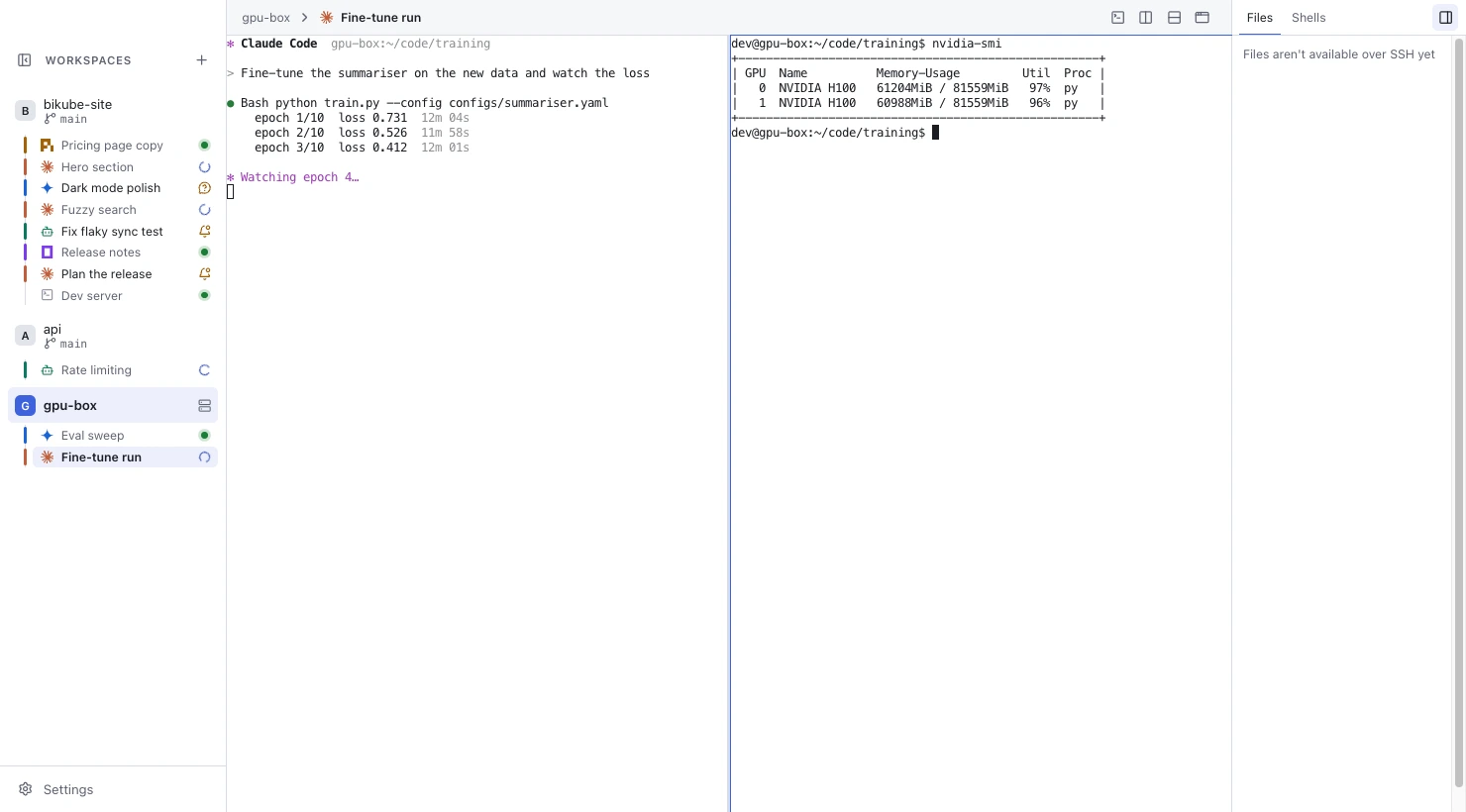
The sidebar marks an SSH workspace with a server icon, and the title bar shows its location as host:folder.
Each card copies the workspace's host and folder when it is created and keeps them: editing the workspace changes new cards only, so an edit never moves a running agent to another machine.
How a card runs
When an SSH card starts, Bikube runs your own ssh from your local login shell, so your SSH config, keys, ssh-agent and keychain all apply. On the host it changes to the card's folder, starts your login shell there and then types the card's startup command, once the session is ready.
- Prompts appear in the card. A password, passphrase or host key question shows in the card's terminal; you answer it there. Bikube never sees or stores a credential.
- Extra panes each open their own
sshsession to the same host and folder. A shell of the workspace, the Default shell included, runs on the host too. - Agents run on the host. Every agent can be picked for an SSH card, since Bikube can't tell which ones the host has. Claude Code cards get Bikube's hooks there too, so their activity and status work as in local cards.
SSH failed
When ssh itself fails, because the host can't be reached, authentication fails, the connection drops or the remote folder is missing, the card shows SSH failed followed by ssh's last line, such as SSH failed: ssh: connect to host devbox port 22: Connection refused. Otherwise it is like Stopped: open the card to connect again. An extra pane whose ssh fails keeps its screen with SSH failed below it until you close it.
A command that exits on the host, even with an error, never counts as SSH failed: the card is then Stopped.
The board command over SSH
SSH cards and their extra panes have board too. For each session Bikube writes a small board script on the host and forwards a socket to it through your ssh, so the agent can move its card, set its status and activity, and read its own card's description. It needs perl or python3 on the host.
It serves only the card's own workspace and has fewer commands: there is no workspaces, list, create, rename, describe or --workspace. See The board command.
If the host refuses socket forwarding (AllowStreamLocalForwarding no in its sshd_config), the card still runs normally: ssh prints a one-line warning, such as Warning: remote port forwarding failed for listen path …, and board answers board: can't reach Bikube from this host. Set LogLevel ERROR for that host in ~/.ssh/config to hide the warning.
What is copied to the host
Nothing stays on the host. For each session, Bikube creates a private temporary folder (under $TMPDIR or /tmp) holding the board script and, for Claude Code, its settings file and instruction, plus a socket named like /tmp/bikube-….sock. Both are removed when the session ends. Your board, settings and kept output stay on your computer.
What works differently
| Feature | In an SSH workspace |
|---|---|
| Worktree cards, Worktree setup, branch menu, pull requests | Not available: there is no Own worktree, and no branch is shown. |
| Files tab | Reads Files aren't available over SSH yet. |
| Dev server chips | None, since localhost there is the host. |
| Context bar | None. |
| Shell integration | Not injected; marks your remote shell sends itself are used. |
| Shell setting | Not used: the host's login shell runs. |
| Board command | Own workspace only, with perl or python3 on the host. |
With a sync folder, an SSH card's Claude Code conversation lives on the host every machine reaches, so the card resumes it from any of your computers.
Checked against Bikube 0.9.1