 Bikube
Machines
Sync folder
Sharing one board between your machines through a folder your own sync tool carries, what syncs and what never does.
On this page
Bikube can keep your board in a sync folder: a folder that your own sync tool, such as iCloud Drive, Dropbox or Syncthing, carries between your machines. Every machine that uses the folder shows the same workspaces, columns and cards. Bikube runs no server, needs no account and opens no network connection for it.
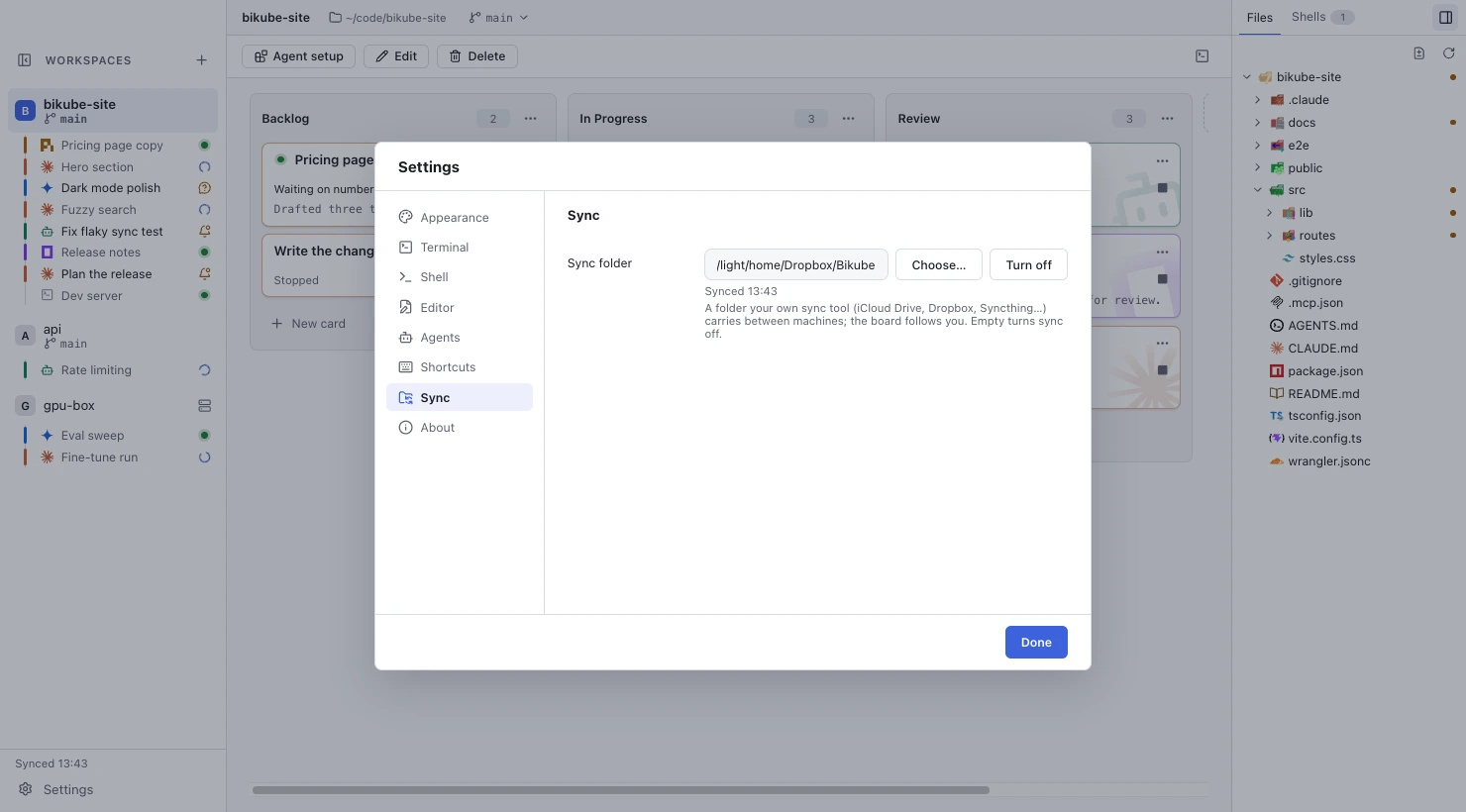
Pick a sync folder
- Open Settings and pick Sync.
- Click Choose… and pick a folder, or type its full path in Sync folder and press Enter.
- Do the same on your other machines, with the folder your sync tool keeps in step.
A path that isn't an existing folder shows Folder not found, and the previous setting stays. Turn off, or emptying the field, stops syncing; the board stays on this machine as it is.
The sync folder is kept per machine in your settings, and is never synced itself, so each machine can have the folder at its own path.
Join two boards
When you set a sync folder, Bikube writes one file in it, bikube-board.json, and touches nothing else there. If the folder has no board file yet, this machine's board is written to it. If it has one, from another machine, the two boards are joined: the folder's workspaces first, then this machine's that the folder doesn't have. Nothing is lost, and from then on both machines show the joined board.
Copies a sync tool makes on a conflict (such as bikube-board (conflicted copy).json) are ignored.
What syncs
The board itself:
- every workspace with its name, folder, SSH host, logo, columns, view, column sort, default startup command, Worktree setup, automatic moves and named shells;
- every card with its column and place, title, creation time, startup command, agent session id, description, worktree branch and folder, New mark and pending worktree.
Local folders under your home folder are written as ~/…, so /Users/me/code/web on a Mac and /home/me/code/web on Linux are the same workspace. A card whose folder doesn't exist on a machine shows Couldn't start: working directory not found there.
What never syncs
- Processes. A synced card is Stopped on each machine until you open it there. Running a card on one machine never starts or stops it on another.
- Your settings, the active workspace, the sidebar, window sizes, and when you last opened each card.
- Kept output, panes, agent status, activity, usage and temporary shells.
- Where a named shell runs, and a worktree card's pending Worktree setup.
Agents keep local conversations on the machine that ran them, so a local Claude Code card new to a machine starts a fresh conversation there rather than trying to resume one it can't find, and the other agents start fresh too. An SSH card's conversation lives on its host, so it resumes from any machine.
How changes travel
Bikube writes the board file within a second of a change, and reads it at launch, whenever the folder changes and whenever its window gets the focus. A change made on one machine shows on the others live, as soon as your sync tool has delivered the file.
The last change wins: the board read from the file replaces this machine's whole board. Bikube is made for one person moving between machines, not for two people editing at once.
A sync never stops a card running on this machine. If the incoming board deleted it, it stays (at the bottom of its column, or of its workspace's first column), and is written back to the file. A running card whose title, column or startup command changed elsewhere takes the new values and keeps running.
Sync status
The sidebar shows the sync status above Settings, and Settings, Sync shows it under the field:
| Status | Meaning |
|---|---|
Synced 14:05 | The last read or write of the board file succeeded, at that time. |
Sync folder unavailable | The folder is missing, isn't a folder, or can't be read or written (an unmounted drive, a sync tool not running). Changes stay on this machine, and Bikube tries again every few seconds; when the folder is back, it syncs. |
Sync file unreadable | bikube-board.json isn't a board file Bikube can read (damaged, or written by a newer Bikube). Bikube leaves it alone and never overwrites it; this machine keeps its board until the file is readable again. |
See Troubleshooting & FAQ for what to do about either.
Checked against Bikube 0.9.1